Complete Guide to Smart Home Security Systems: Cameras, Sensors, and Monitoring
Smart home security systems have evolved into powerful, interconnected tools that protect families, deter intruders, and automate safety. Whether you’re comparing DIY systems or evaluating professional services, understanding how cameras, sensors, and monitoring work together is essential. This guide breaks down each component, compares top systems in 2025, and explains how to choose the right solution for your home.
Key Takeaways
- Smart home security systems combine cameras, sensors, and monitoring to detect intrusions and hazards.
- DIY systems like Ring, SimpliSafe, Wyze, Eufy, and Arlo offer flexible installation and lower monthly fees.
- Professional systems like ADT, Vivint, and Brinks provide 24/7 monitoring, integrated equipment, and expert setup.
- Cameras differ in resolution, field of view, night vision quality, and storage options.
- Sensors include door/window sensors, motion detectors, glass-break sensors, and environmental sensors.
- Monitoring options range from self-monitoring (free) to 24/7 professional monitoring ($20–$60/mo).
What Is a Smart Home Security System?
A smart home security system is a network of connected devices—cameras, sensors, alarms, and automation tools—designed to detect threats and alert homeowners. These systems rely on Wi-Fi, cellular backup, and mobile app control to provide real-time notifications and remote access.
Core Components
- Cameras (indoor, outdoor, doorbell)
- Sensors (motion, entry, environmental)
- Alarm sirens
- Monitoring service (DIY or professional)
- Mobile app control
- Smart integrations (Alexa, Google, Apple Home)
Types of Smart Security Cameras
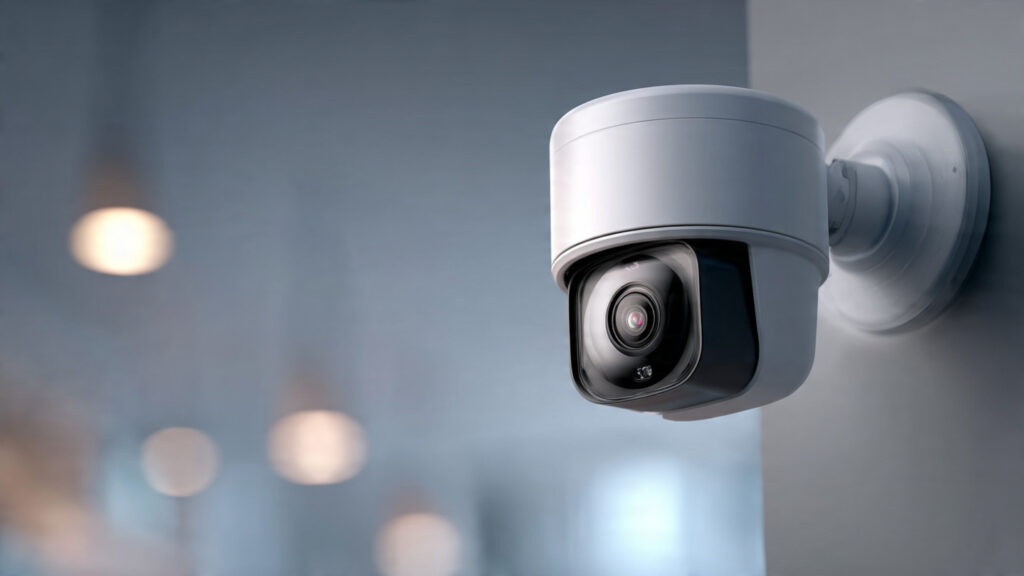
Security cameras are the eyes of your system, providing critical visual coverage.
Indoor Cameras
Best for monitoring hallways, living rooms, and entry points. Features include:
- 1080p–4K resolution
- Two-way audio
- Motion alerts
- Privacy shutters
Outdoor Cameras
Ideal for perimeter monitoring. Key features:
- Weatherproof housing
- Night vision or color night vision
- Larger field of view (130°–180°)
- Person/vehicle detection
Video Doorbell Cameras
Provide real-time alerts when someone approaches your door. Capabilities include:
- Motion zones
- Package detection
- Pre-recorded responses
- Cloud or local video storage
Camera Brand Examples
- Ring: Best for affordability and ecosystem connectivity
- Arlo: Best for 2K–4K video and AI detection
- Eufy: Best for local storage/no subscription
- Google Nest: Best for smart home integration
Essential Home Security Sensors
Sensors detect intrusion, movement, and environmental hazards.
Door/Window Sensors
Alert when an entry point opens unexpectedly.
Motion Sensors
Cover large areas and detect movement when no one should be home.
Glass-Break Sensors
Identify the frequency patterns of breaking glass—important for homes with many windows.
Environmental Sensors
Monitor non-intrusion risks:
- Smoke
- Carbon monoxide
- Water leaks
- Temperature swings
Sensor Examples
- SimpliSafe sensors known for reliability
- ADT sensors professionally installed
- Wyze sensors offer budget-friendly protection
Monitoring Options: DIY vs Professional
Monitoring determines how alerts are handled and how quickly help is dispatched.
DIY Monitoring
You receive notifications on your phone and decide how to respond.
Pros:
- Free or low-cost
- Full control via app
- Easy installation
Cons:
- You must respond to alerts
- No automatic emergency dispatch
Professional Monitoring
Professionals monitor alerts 24/7 and contact emergency services when needed.
Pros:
- Fast emergency response
- Peace of mind when traveling
- Insurance discounts
Cons:
- Monthly fees ($20–$60/mo)
- Some providers require contracts
- Limited system customization
Top Monitoring Providers
- SimpliSafe: No contracts, affordable
- ADT: Strong reputation, professional installation
- Vivint: Most advanced smart home automation
Smart Home Security System Comparison (USA 2025)
| Feature | DIY Systems (Ring, SimpliSafe, Wyze) | Professional Systems (ADT, Vivint, Brinks) |
|---|---|---|
| Installation | Self-installed | Technician-installed |
| Monitoring | Optional/self | Required/professional |
| Monthly Cost | $0–$20/mo | $40–$60/mo |
| Contract | None | Often 36–60 months |
| Camera Quality | 1080p–4K | 1080p–4K |
| Smart Integrations | Strong | Strong |
| Best For | Renters & budget users | Homeowners wanting full coverage |
Pricing Breakdown for U.S. Homeowners
Equipment Costs
- DIY systems: $150–$500 average
- Professional systems: $600–$2,000 depending on package
Monitoring Fees
- DIY monitoring: $0–$20/mo
- Professional monitoring: $40–$60/mo
Installation Fees
- DIY: Free
- Professional: $99–$199 on average
Installation Options: DIY vs Professional
DIY Installation
- Peel-and-stick sensors
- Wireless cameras
- App-guided setup
- Great for renters
Professional Installation
- Hardwired or hybrid systems
- Expert placement of sensors
- Best for large homes or complex layouts
How to Choose the Right Smart Home Security System
Choose a DIY System If You:
- Want low monthly costs
- Prefer flexible, no-contract options
- Live in an apartment or small home
Choose a Professional System If You:
- Want guaranteed 24/7 monitoring
- Prefer expert installation
- Own a large property or high-value home
Important Factors to Evaluate
- Video storage (cloud vs local)
- Smart home compatibility
- Sensor coverage
- App quality
- Privacy and encryption features
FAQ: People Also Ask
Are smart home security systems worth it?
Yes—modern systems offer real-time alerts, deterrence, and peace of mind for only a few dollars per month.
Which system has the best cameras?
Arlo and Nest offer the sharpest video (2K–4K) and smart detection features.
Do I need professional monitoring?
It’s optional for DIY systems but recommended for homeowners who want automatic emergency dispatch.
Can smart home security systems be hacked?
Yes, but risks are minimized with two-factor authentication, strong passwords, and encrypted cameras.
Which is better: Ring or SimpliSafe?
Ring is best for budget video monitoring; SimpliSafe is better for whole-home protection.
Action Steps
- Determine your budget (equipment + monthly monitoring).
- Decide between DIY or professional installation.
- List required components (cameras, sensors, monitoring).
- Compare ecosystems based on your smart home devices.
- Choose a system and enable two-factor authentication immediately.
Conclusion
Smart home security systems in 2025 offer powerful tools to protect your home. Cameras capture key footage, sensors detect intrusions, and monitoring services ensure rapid emergency response. Whether you choose a DIY setup like Ring or SimpliSafe or a professional system like ADT or Vivint, selecting the right combination of components ensures a safer, smarter home. Use this guide to compare features, pricing, and monitoring options confidently so you can choose the system that suits your needs.